Awesome VS Code extensions for your JavaScript projects
VS Code is one of the most popular code editors for being highly customizable and having a very active community, but the great thing about this amazing editor is the ton of extensions you can install depending on what you're building.
VS Code is one of the most popular code editors for being highly customizable and having a very active community, but the great thing about this amazing editor is the ton of extensions you can install depending on what you're building.
If you want to level up your skills as a JavaScript developer, here's a list of VS Code extensions that will help you code much faster, or simply save you headaches 🤯 from errors when writing your code.
Bracket Pair Colorizer
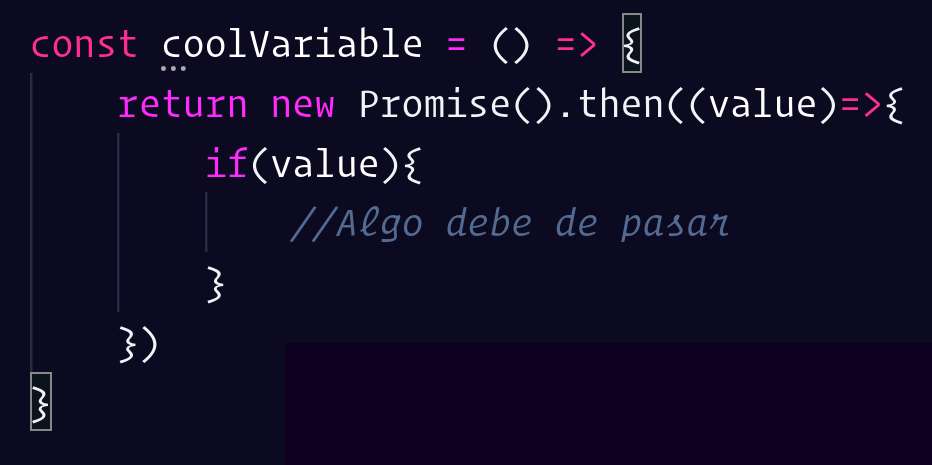
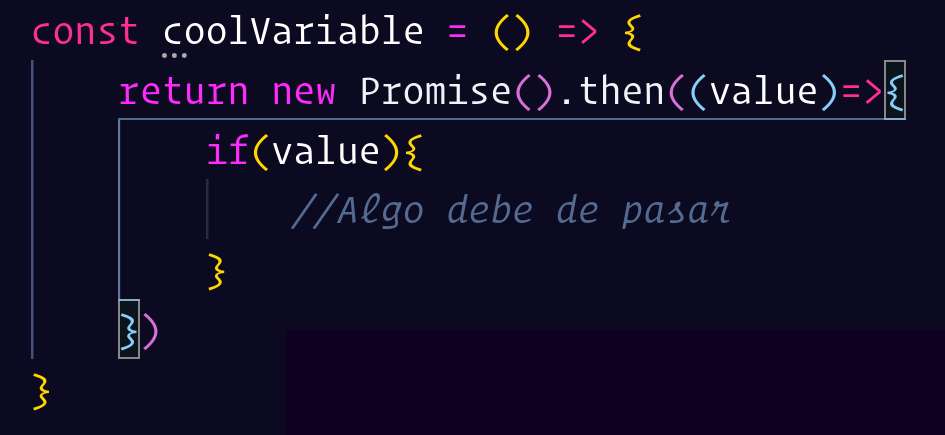
If you've ever started writing nested functions or ifs and lost track of where they end, Bracket Pair Colorizer might help you fix that.
As the name says, this extension helps you color each pair of braces or parentheses a different color so you can quickly see where each one starts and ends. Plus if you select a specific parenthesis, it marks with a line of the same color where that scope ends.
Without bracket pair colorizer
With bracket pair colorizer
Gitmoji Commit
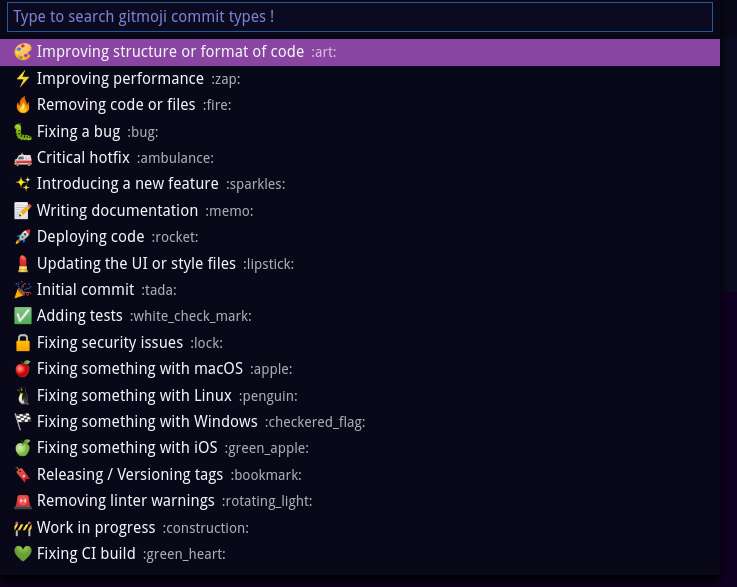
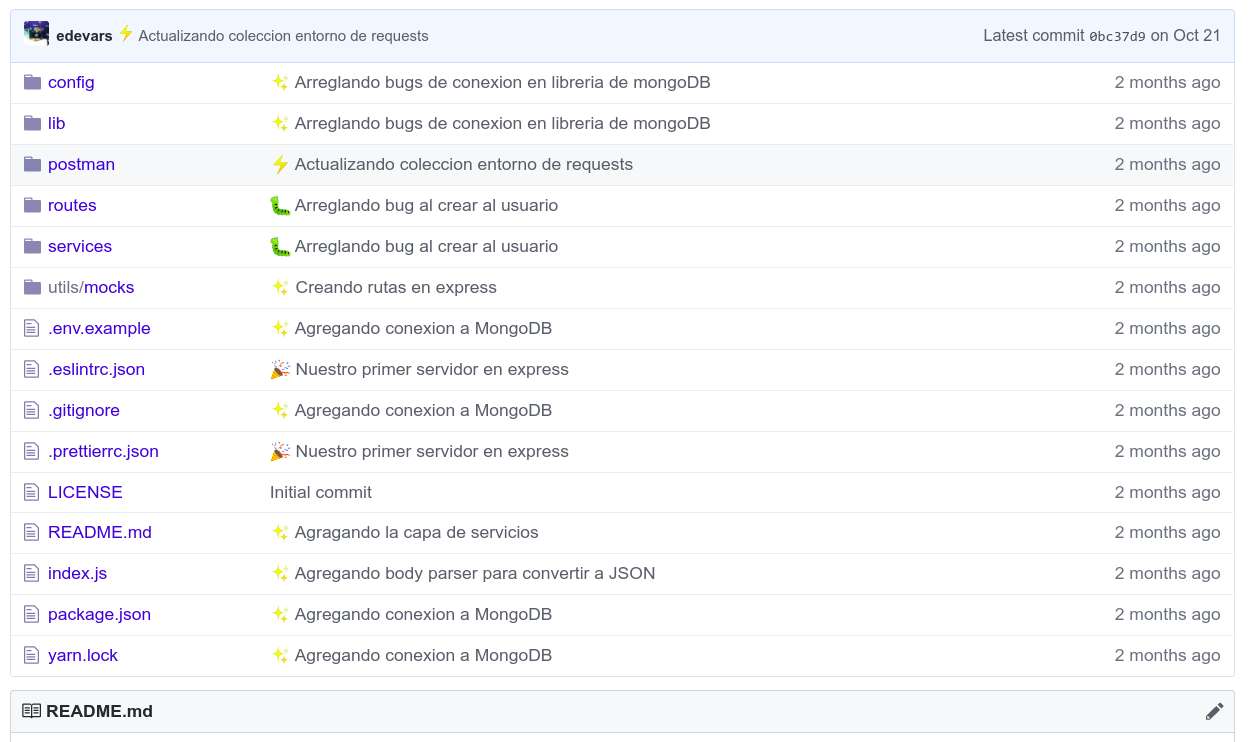
This extension is one of the most fun I've found—with it you'll never get tired of making commits. It lets you create a custom message with an emoji in a simple way so it shows up in your GitHub repos; it even suggests when you can use that emoji.
I personally use them to know when I deleted some lines of code, changed a component's styles or updated my app's documentation.
Your commits will look this fabulous in your GitHub repo 💅
Javascript (ES6) Code Snippets
With this extension you'll write JavaScript code in record time. If you're familiar with emmet you'll quickly get how it works—you just type a few characters, hit enter or tab and it will write a common JavaScript structure for you.
For example, if you type clg and hit enter, it will write a console.log(object) quickly and easily. ⚡

Material Icon Theme
This is one of the simplest—it only changes the icons of your project's files and folders. Even though it's very simple, it helps a lot when viewing your project's overall file structure. 🗃

Node Require
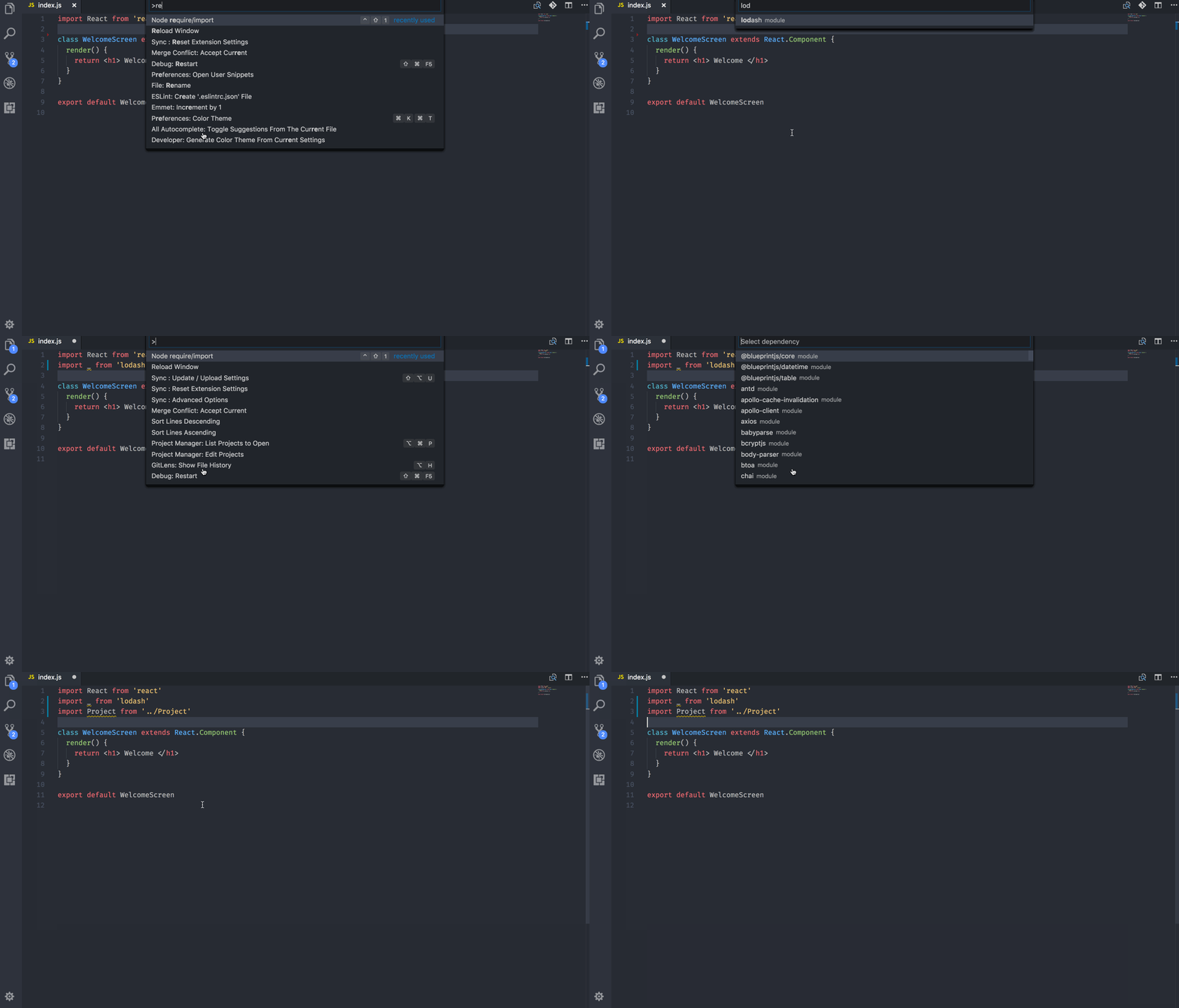
With just ctrl + shift + 1 you can require JavaScript modules super fast. This works for both the Node modules you have installed and the local files you create in your project.
Simple React Snippets
This extension has probably saved me the most time on my React projects. It lets you create general React structures like class components or functional components with a simple snippet. It has a TON of shortcuts—I invite you to use them all 💪.

CamelCase
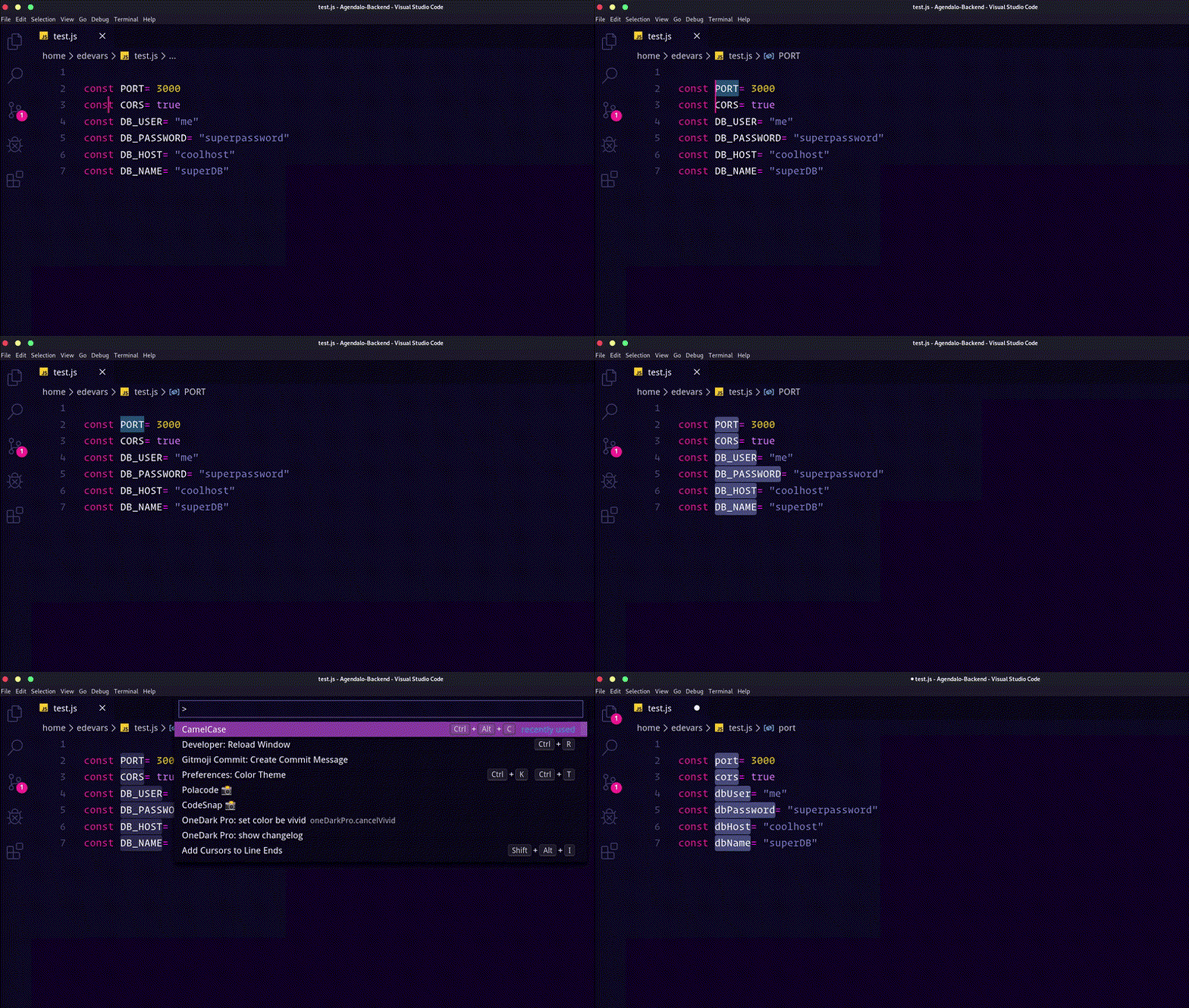
Camel Case is one of the most used conventions in JavaScript for formatting our code. If you want to do it quickly, just select the text you want to transform and choose the Camel Case option in the VS Code command bar (you can open it with ctrl + shift + P).
PolaCode
Finally, if you want to take really nice screenshots of code snippets, whether for your docs or an article you're writing, PolaCode is the best.
Just search for Polacode in the VS Code command bar, select the code you want to "photograph" and it will automatically save that image to your computer.
Menu to take the capture 📷

Image result 📸

These are some of the extensions I've liked the most and use the most in Visual Studio Code. If you know one that's really useful and isn't on this list I'd love for you to put it in the comments 😄
Happy Hacking! ⚡